
Which file type should you use when 3D printing?
Topic
3D printing file types play a critical role in determining the quality and success of a printed part. To achieve the best results, it is important to choose the correct CAD file for 3D printing and ensure it is compatible with your chosen printer and manufacturing process. In this article, we explore the most commonly used file formats in 3D printing and their key characteristics.
Which File Type Should You Use When 3D Printing?
3D printing is a process that allows users to create three-dimensional objects from digital files. In order to produce a successful 3D print, it is important to use the correct file format for your printer. In this article, we will explore the most commonly used file formats in 3D printing and their characteristics.
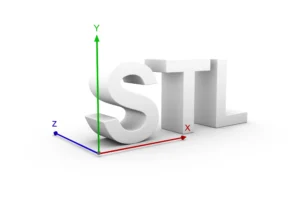
STL: The STL (Standard Tessellation Language) format remains the most widely used of all 3D printing file types. When comparing STL vs OBJ, STL files are created by breaking down a 3D model into a series of small triangles that form a surface mesh. This mesh is then printed layer by layer to create the physical component.
STL files are easy to generate, supported by almost every 3D printer, and are often considered the best file format for 3D printing when colour and material information are not required. However, they do have limitations. STL files cannot store colour, texture, or material properties, and may struggle to accurately reproduce highly curved or organic geometries.
OBJ: The OBJ format is another popular option among 3D printing file types. In the STL vs OBJ comparison, OBJ files also use a mesh-based structure but additionally support colour, textures, and material information. They also offer improved accuracy for complex curves and organic shapes.
While OBJ files are an excellent choice for detailed visual models, they are typically larger and more complex than STL files, making them more demanding to process for highly detailed parts.
Other 3D Printing File Types

AMF: The AMF file for 3D printing (Additive Manufacturing File Format) was developed specifically for additive manufacturing. Unlike STL files, AMF stores volumetric data as well as colour, texture, and material properties, enabling much more accurate representation of complex components.
Although the AMF file for 3D printing offers many technical advantages, including support for multiple materials and improved geometry handling, it is not yet universally supported by all 3D printing systems.
3MF and Other Formats
Alongside STL, OBJ, and AMF, several other 3D printing file types are available, including the increasingly popular 3MF file format, as well as VRML and PLY. The 3MF file format has gained popularity because it stores geometry, colours, materials, textures, and manufacturing information within a single file while maintaining a compact file size.
Selecting the best file format for 3D printing ultimately depends on your application, printer compatibility, material requirements, and desired part quality.
Conclusion
Choosing the correct CAD file for 3D printing is essential for achieving accurate, reliable, and high-quality printed parts. While STL remains the industry standard, understanding the differences between STL vs OBJ, the capabilities of the AMF file for 3D printing, and the advantages of the 3MF file format allows designers and engineers to select the best file format for 3D printing based on their specific project requirements.
At Bowman 3D, we accept almost every CAD file for 3D printing, including STL, OBJ, AMF, 3MF, and many native CAD formats. Our engineering team can also convert files into the optimal production format or reverse engineer components from existing parts or legacy drawings. If you have a component you would like manufactured, contact Bowman 3D and we’ll help you prepare your design for efficient production.